
Describe what you want to generate
Select or drop multiple images, up to 10. JPG, PNG or WebP; 10 MB each.
FLUX 3 Image Klein — AI Generator & Reference Editor
Generate and edit images with FLUX 3 Image Klein. Explore real examples, choose 1K–4K, and guide one image with up to 10 references.
Generated with this integration
AI-generated fictional examples created through Flux2pro. Settings and practical observations are shown below; results vary.

Build a clear product concept from a short brief
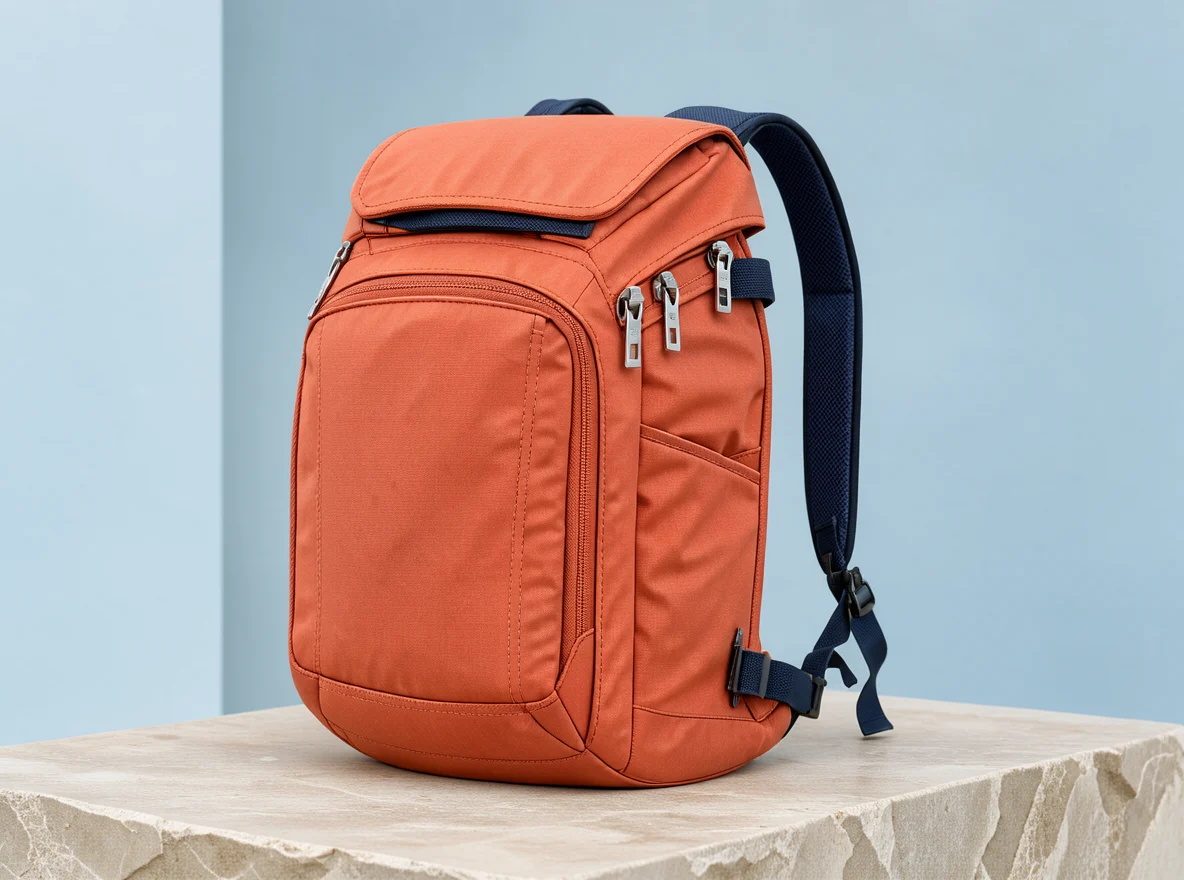
A fictional coral hiking backpack with dark straps on a limestone block.
Make materials and camera explicit
State the item’s shape, fabric, visible fastenings and viewpoint. A limited palette helps you assess subject separation before adding a complex setting.
Try this brief
“A matte coral hiking backpack with navy straps, silver zipper pulls and a folded top flap on a limestone block. Pale blue backdrop, soft side light, realistic woven fabric, no logos.” Start with 1K and 4:3.
Plan an iteration budget
On this site, a 1K image costs 3 credits, 2K costs 4 and 4K costs 9. References do not add to this quote. These are site credit amounts, not Black Forest Labs’ direct API prices.
Use a reference to define what stays and what changes
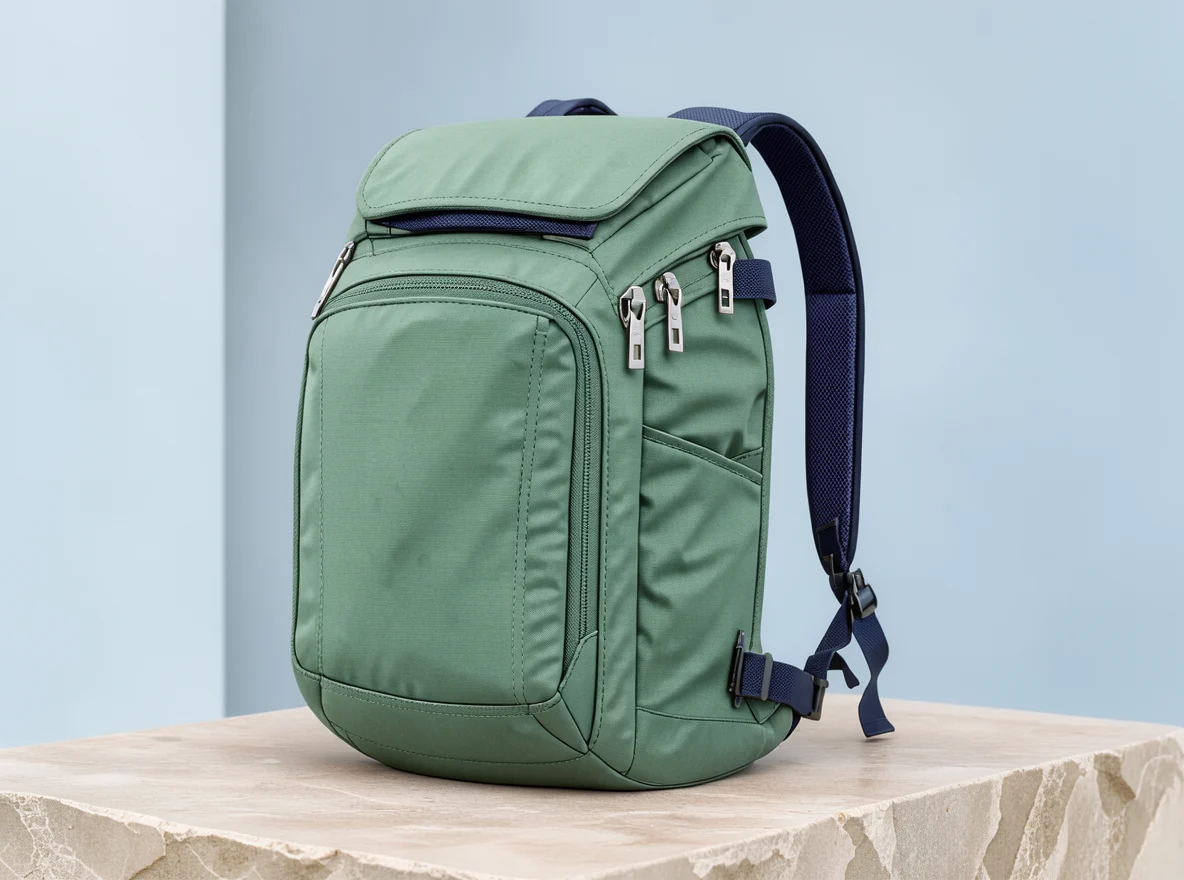
A color-edit variation of the backpack shown in the first example.
Name the role of each input
Use the original for shape and composition. If you add more references, say which supplies the material, palette or setting. Up to 10 inputs guide a single output.
Try this edit
“Change only the backpack’s coral fabric to sage green. Retain the dark navy straps, zipper pulls, folded flap, stone block, background, viewpoint and light.” Upload the first backpack image.
Inspect small structural details
Compare straps, stitching, zipper count and silhouette against the source. This form uses prompt-guided editing; it does not expose bounding-box controls or guarantee unchanged pixels.
Establish depth and atmosphere for a scene concept
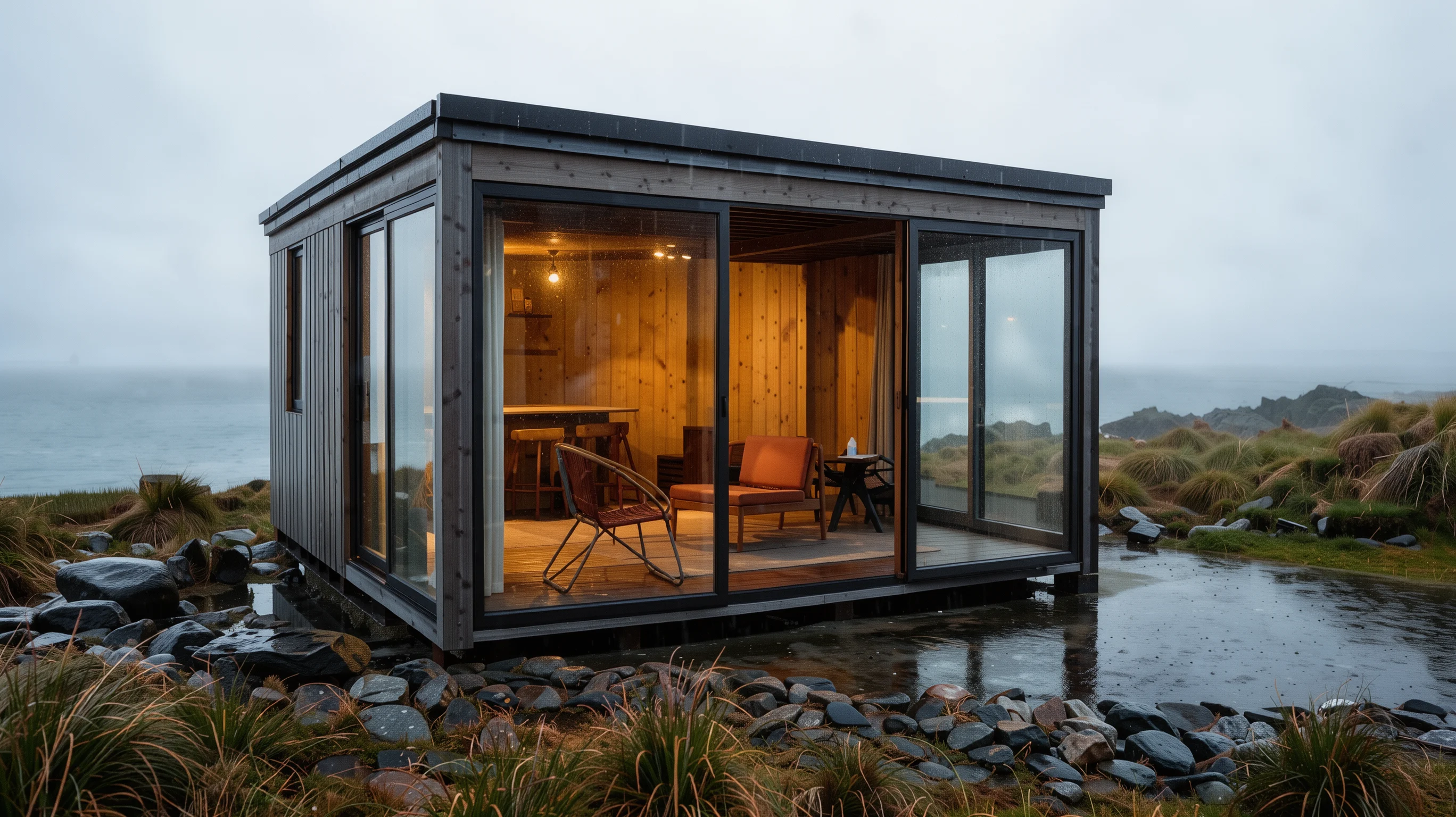
A fictional coastal studio scene with cool outdoor tones and warm interior light.
Compose before increasing resolution
For a wide image, place the subject in the middle distance and describe a foreground and horizon. Select the intended aspect ratio before generating.
Try this brief
“A small coastal artist’s studio after rain, warm light through large windows, a terracotta chair inside. Wet stones in front, pale sea and mist beyond, restrained cinematic photography, no people or signs.” Choose 16:9 and 2K.
Treat the result as a visual concept
Review perspective, window joints, reflections and furniture scale. A scene image can communicate mood; it is not a measured building plan.
Controls available on this page
Model information checked on November 9, 2026. Credit totals follow the current form.
Klein image model
This page runs FLUX 3 Image Klein through KIE. FLUX 3 Video, Max and other FLUX 3 variants are separate offerings.
Text generation and editing
Generate from a prompt alone or upload references to guide an edit. Prompt rewriting is disabled in this integration.
Up to 10 references
JPEG, PNG or WebP, up to 10 MB each. Describe each reference’s role when combining inputs.
1K, 2K and 4K
Choose 3, 4 or 9 site credits per output, respectively. Reference images do not increase the quote.
Nine aspect ratios
From 1:1 to wide 21:9 or tall 9:21. Match the composition to the crop you actually need.
One PNG output
Up to 5,000 prompt characters. No batch, masks or bounding-box controls are exposed on this page.
How to generate and refine an image
Describe the image
Name the subject, materials, light and camera. For an edit, specify both the desired change and the details to preserve.
Set the canvas and references
Choose ratio and resolution. Upload up to 10 images if needed, making each input’s purpose explicit.
Check credits and generate
Sign in, confirm the 3 / 4 / 9-credit total for 1K / 2K / 4K and submit one image.
Compare and download
Inspect the output at full size. Adjust one requirement at a time or use the result as a reference for the next edit.
Questions before you generate
Is this the full FLUX 3 model?
This generator specifically uses FLUX 3 Image Klein, supplied through KIE. It does not provide FLUX 3 Video, Max or a non-Klein image variant.
What can I make with it?
Use text prompts for product concepts, illustrations and scenes, or references for palette and composition edits. The examples above are fictional AI-generated concepts from this integration.
How many reference images are supported?
Up to 10 JPEG, PNG or WebP images, each no larger than 10 MB. Multiple references guide a single output and are not a batch request.
How much does it cost?
1K costs 3 site credits, 2K costs 4 and 4K costs 9 per image. Reference inputs do not add credits. Check the displayed total before submitting; a login and sufficient credits are required.
Does it support 4K?
Yes, the form offers 1K, 2K and 4K output presets. Choose a ratio separately. Exact output dimensions follow the provider’s preset for that combination.
Are mask and bounding-box edits available?
This form currently offers prompt-guided reference editing. It does not expose a mask, bounding boxes or pixel-restoration controls, even though the broader official model has additional editing capabilities.
Is my prompt rewritten automatically?
Prompt enhancement is disabled for this integration. Write the composition and edit constraints directly; the prompt limit here is 5,000 characters.
What should I check before using the result?
Inspect hands and anatomy when present, fabric and fastenings, perspective, text and branding. For reference edits, compare the areas that should remain. Check rights and applicable terms for your intended use.
Create your next visual
Sign in, write a clear brief and check the credit quote before generating.