
Describe what you want to generate
Select or drop multiple images, up to 10. JPG, PNG or WebP; 10 MB each.
Seedream 5.0 Flash — AI Image Generation & Editing
Create product visuals, posters and scene concepts with Seedream 5.0 Flash. Generate from text or edit with up to 10 references, choose 1K, 1.5K or 2K, and pay 4 credits per image.
Made with Seedream 5.0 Flash
These examples were generated through this site’s Flash integration. Your results will vary with the prompt and references.
Turn a creative brief into visual options you can compare
Explore product campaigns, text-led posters, reference edits and atmospheric scenes. Every image shown was generated through this site. The sample prompts below are shortened adaptations of our tested briefs, ready to customize.
Explore materials, color and lighting for product campaigns
For an ecommerce campaign, brand proposal or social post, compare different backgrounds and palettes around one subject. The official documentation positions Flash for speed and cost-sensitive work. On this site each image costs 4 credits, so four separate concepts cost 16 credits, making an iteration budget easy to plan.
Define the product before its setting
Specify the shape, surface material, camera angle and main light, then add props and space for copy. For an existing product, upload a clear reference and name the bottle, cap or packaging details to retain. Change one palette or setting at a time to compare results.
Sample prompt: a contrasting product palette
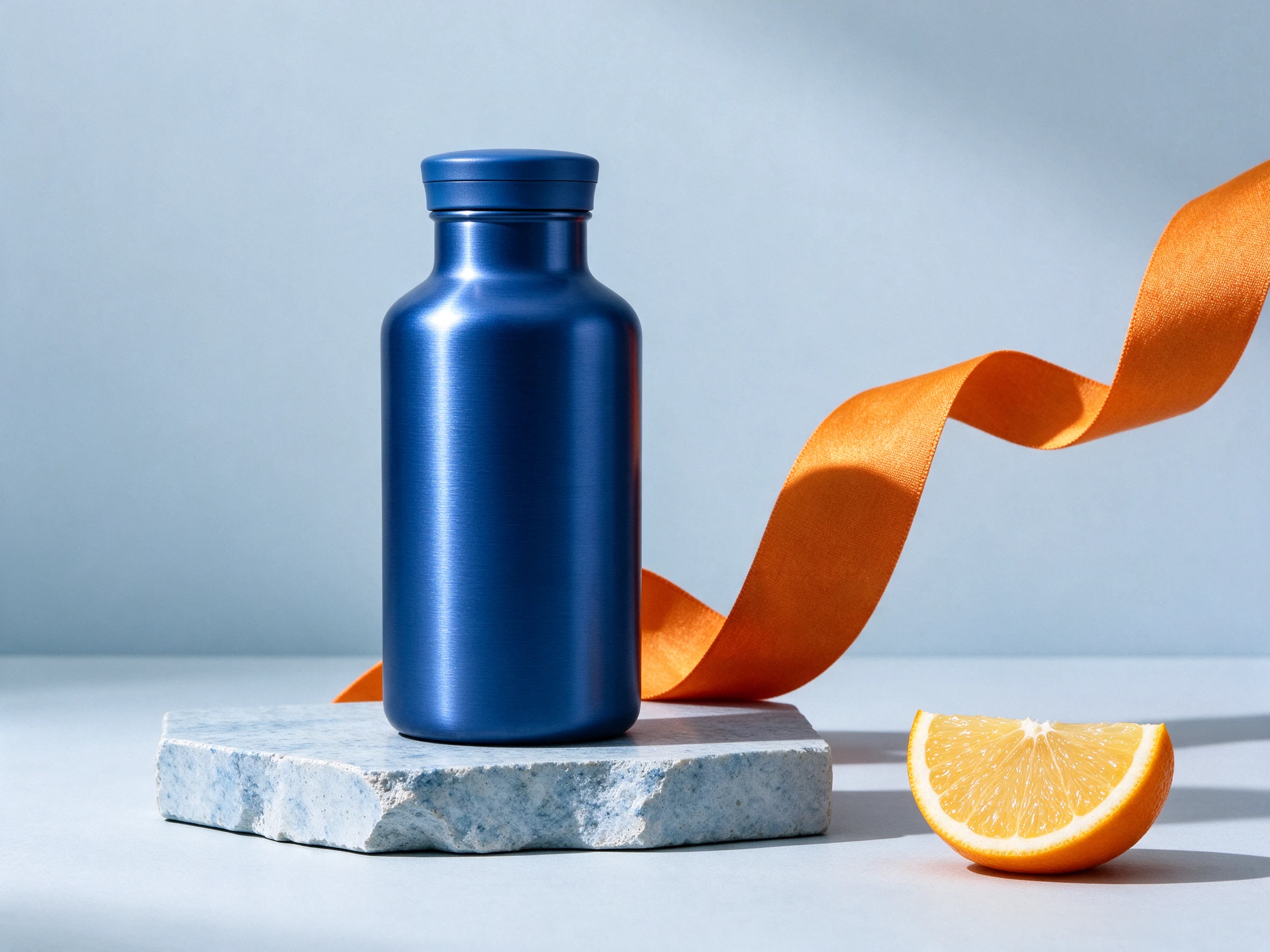
“An unbranded cobalt blue metal water bottle on a pale blue stone plinth, curling orange fabric behind it and a citrus slice beside it. Afternoon side lighting, clear metal texture, contemporary studio advertising photograph, generous negative space, no logos or text.” Select 4:3 and 2K.
Observed result: material and subject separation
This text-only example produced contrasting blue, orange and stone surfaces with highlights on the bottle. It illustrates a fictional product concept. For a real product campaign, compare packaging proportions, labels and small structural details with the actual item.
Compose poster text, imagery and breathing room together
The official Flash documentation lists native multilingual generation, useful for exploring event posters, travel campaigns and social covers. Supply finished copy, then describe reading order and visual hierarchy. Our example shows the actual result of a short English headline brief.
Organize text in reading order
Put exact wording in quotation marks and specify the position and relative size of the headline and subtitle, along with background colors and margins. Supply checked translations for each language version and provide dates, prices and event details yourself.
Sample prompt: a coastal travel poster
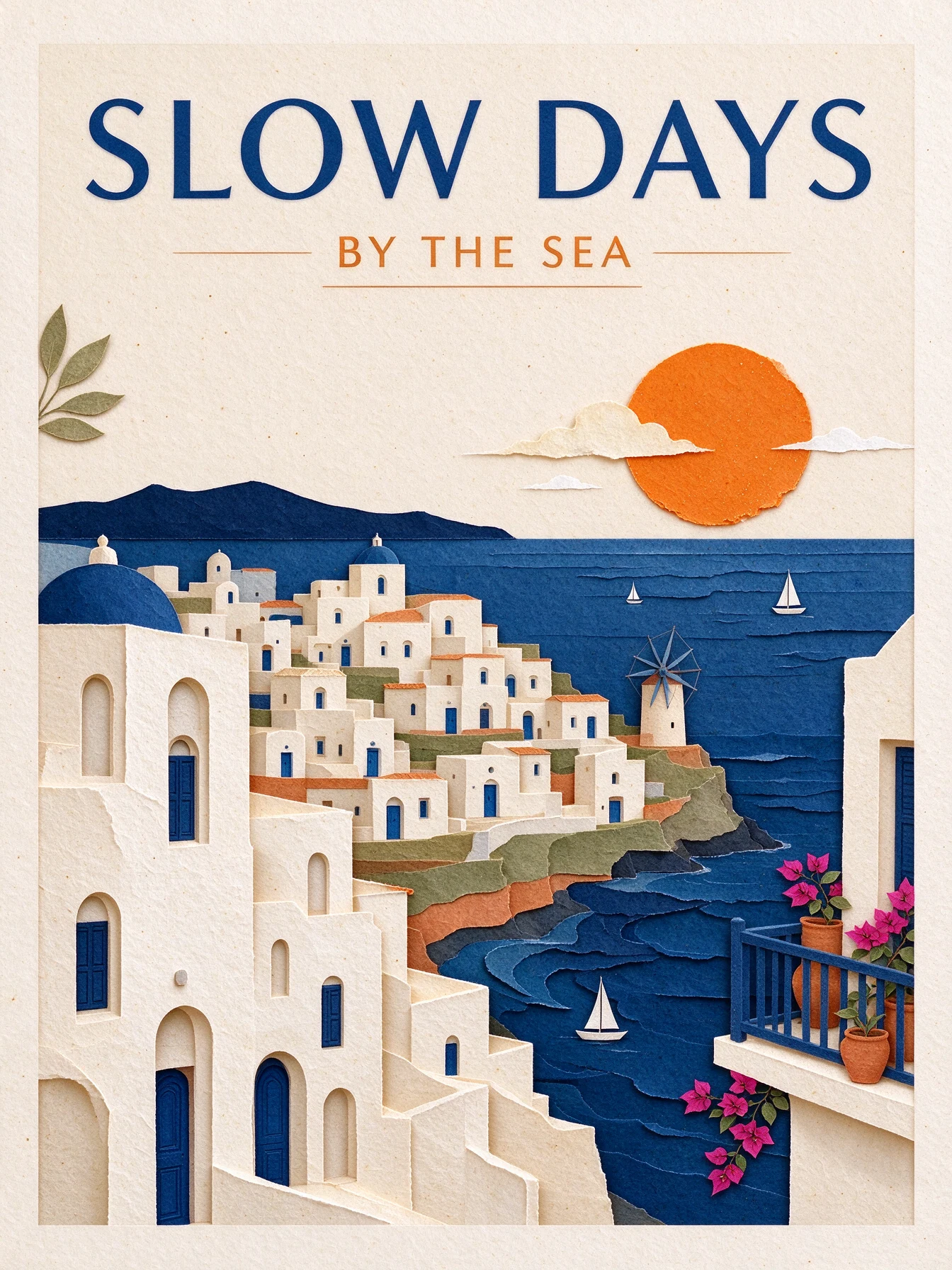
“A Mediterranean village travel poster with cream houses, an ultramarine sea and an orange sun, in a paper-cut illustration style with tactile grain. Top title exactly ‘SLOW DAYS’, small subtitle exactly ‘BY THE SEA’, clear typography and generous margins.” Select 3:4 and 1.5K.
Observed result: two short English lines
The generated “SLOW DAYS” and “BY THE SEA” are readable and match the requested spelling in this sample. That does not establish accuracy for long paragraphs or every language. Check letterforms, line breaks and alignment; use the downloaded PNG in a design editor when precise typesetting matters.
Use references to specify what stays and what changes
Reference editing lets you continue an existing composition while exploring product colors, props or backgrounds. This page accepts up to 10 reference images without increasing the 4-credit image cost. Multiple references guide one output; they do not produce a batch of images.
Assign a clear role to each reference
For example, image 1 supplies the product shape, image 2 the palette and image 3 the setting. Avoid conflicting subjects or styles and name the features to preserve. The edit shown here used only the blue bottle product image from the preceding example.
Sample prompt: change the fabric color
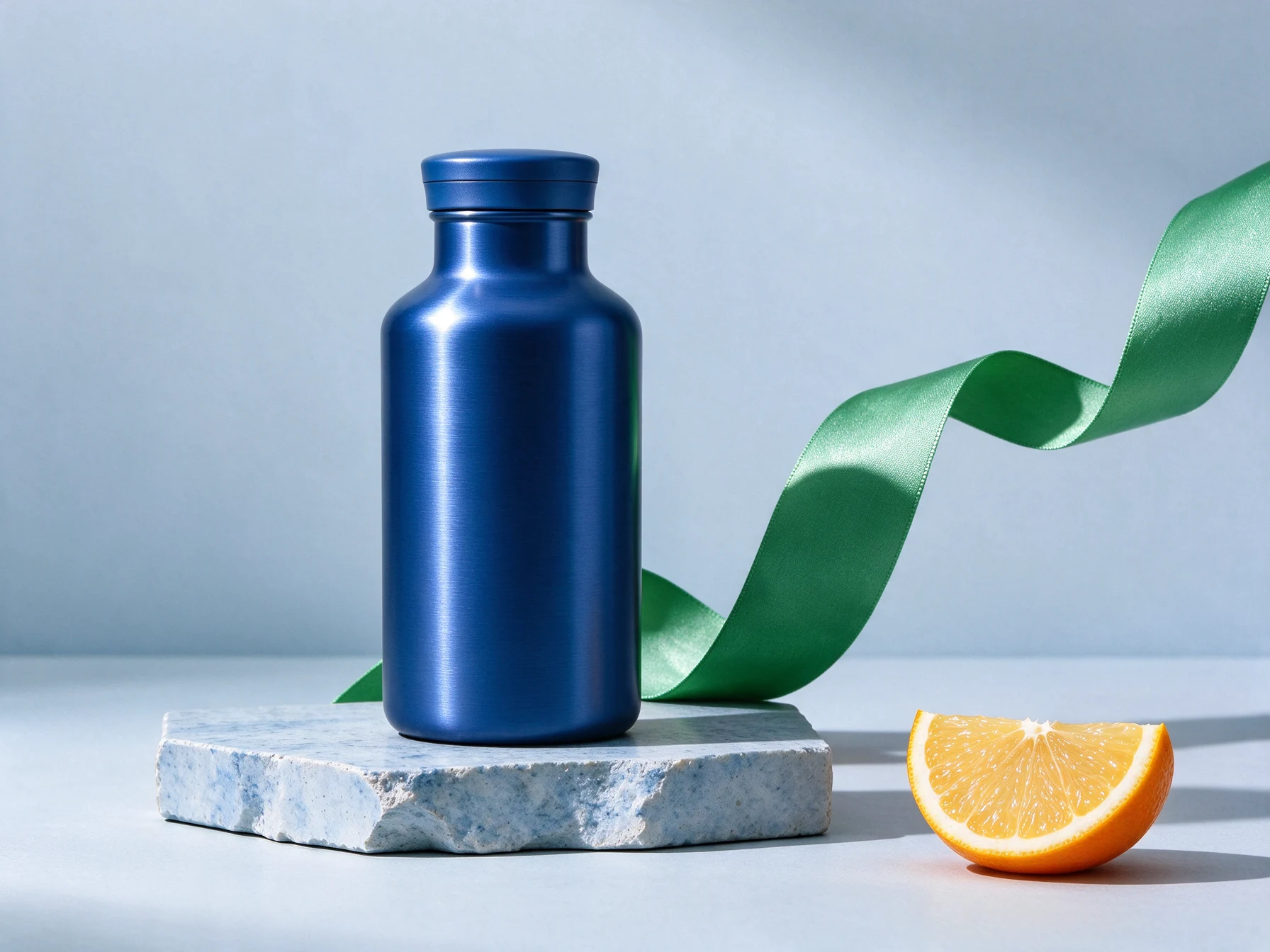
“Keep the blue bottle and its shape. Replace the orange fabric with soft green fabric. Keep the studio lighting and stone plinth.” Add the product example as a reference, then choose 4:3 and 1.5K. Check the requested change first, then compare the rest of the subject.
Observed result: changed color, with details to review
This edit changed the fabric from orange to green while retaining the overall bottle-and-plinth arrangement. It does not guarantee unchanged pixels elsewhere. Official capabilities also include coordinate, box and arrow-based editing; this page offers text plus references, without drawing, masking or layer decomposition tools.
Build scene concepts through space, light and atmosphere
For spatial concepts, story imagery or banner backgrounds, establish the viewpoint and depth before comparing weather, time of day or materials. A scene draft helps communicate a visual direction. A higher resolution changes output dimensions; composition and spatial relationships still need their own revisions.
Separate foreground, subject and distance
Use plants or stones to establish scale in front, place the subject in the middle and use trees and mist for depth. Describe how indoor and outdoor light relate. Choose 16:9 for a wide scene or 9:16 for a vertical cover, and restate subject placement when changing the aspect ratio.
Sample prompt: a forest reading room after rain
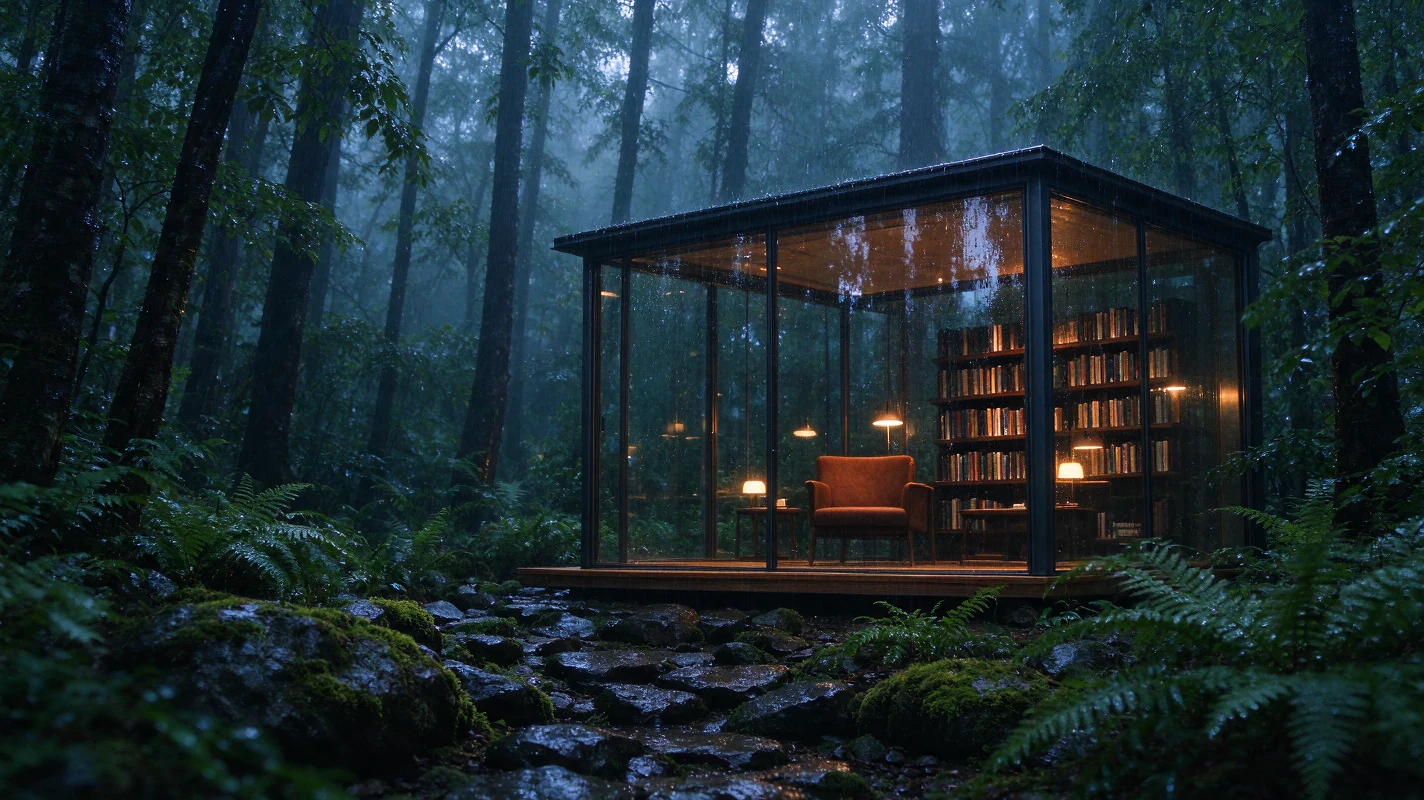
“A small glass reading room in a forest after rain, eye-level view, amber light through floor-to-ceiling windows, a terracotta chair and bookshelves. Mossy stones and ferns in front, mist-softened tree trunks behind, realistic glass reflections, no people or signs.” Select 16:9 and 1K.
Observed result: establish mood, then inspect structure
The 1K sample contrasts a cool forest with a warmly lit interior. For further iterations, adjust mist, lighting or the chair position separately. Inspect window joints, perspective and reflections before delivery. This is a visual concept, not a source of real building dimensions or structural specifications.
The controls available on this page
One image per request, with the credit total shown before generation.
Text or reference images
Start from a written brief or add up to 10 images for guided editing.
Three resolution tiers
Choose 1K, 1.5K or 2K. All three cost 4 site credits per image.
Eight aspect ratios
Square, portrait, landscape and ultrawide formats for different placements.
No reference surcharge
Adding reference images does not increase the 4-credit generation cost.
PNG output
Download a single flattened PNG, ready for your next design step.
Focused prompts
This page accepts 3–2,000 characters. Describe concrete subjects, layout and requested changes.
Create your first Flash image
Sign in and check your available credits before generating.
Write the brief
Describe the subject and layout. Add references if you need to guide an edit.
Set the frame
Choose an aspect ratio and 1K, 1.5K or 2K. Confirm the displayed 4-credit cost.
Generate and review
Generate one image, inspect text and details, then download or refine your prompt.
Seedream 5.0 Flash questions
What is Seedream 5.0 Flash?
It is a ByteDance image model aimed at frequent creative iteration. On Flux2pro, this page provides text-to-image generation and reference-guided editing.
How much does it cost here?
Each image costs 4 Flux2pro credits at 1K, 1.5K or 2K. Up to 10 reference images are included without extra credits. You need to sign in with sufficient credits.
Can I generate in 4K?
This Flash page offers 1K, 1.5K and 2K. For other resolution options, open the Seedream 5.0 Lite & Pro page.
Does this page split images into layers?
No. Flash Layerize is a separate model interface. This page returns one flattened PNG and does not offer layer decomposition, masking or background removal.
Will it preserve my product or text exactly?
References and explicit wording help guide the result, but details may change. Check product shapes, lettering and composition before publishing.
Is Flash always faster than other versions?
The official positioning emphasizes latency and cost-sensitive work. Actual waiting time also depends on task complexity, service load and queueing. This page promises no fixed generation time, and we have not ranked versions in a controlled speed benchmark.
How should I prompt posters in different languages?
Flash supports native multilingual generation. Provide exact copy in the target language, in quotation marks, with headline hierarchy and margin instructions. Our tested poster uses short English text. Other languages still need proofreading; multilingual support does not guarantee correct translation or typesetting.
Which reference files can I use, and can I get several outputs?
This page accepts JPEG, PNG and WebP files up to 10 MB each, with up to 10 references. Each generation returns one flattened PNG. Multiple reference images are input guidance, not a request for multiple outputs.
Try your next idea with Flash
Start with a brief or reference image. Choose your frame, review the credits and create.