
One JPEG or PNG up to 10 MB.
Select at least 1 image(s).
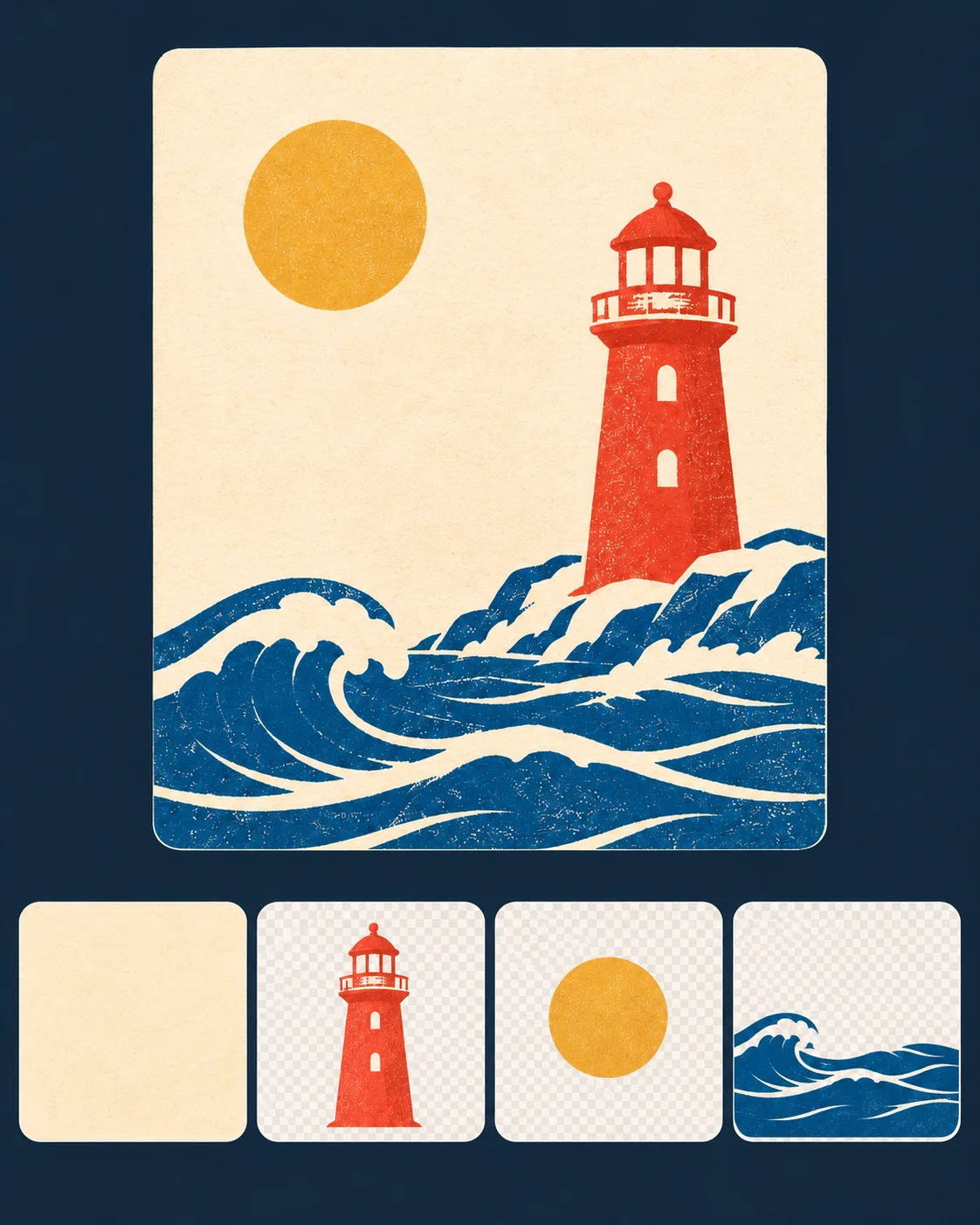
Seedream 5.5 Layerize: Split an Image into PNG Layers
Upload one JPEG or PNG to split existing artwork into a base image and transparent PNG layers. Add an optional instruction, choose a size and check the Flux2pro credit cost before submitting.
What Layerize returns
One source image
Upload a JPEG or PNG of up to 10 MB. For small images, use at least 512 × 512 pixels. Choose artwork with a clear separation between foreground and background.
A base plus transparent layers
The page requests up to 30 PNG files, including the base image and transparent layers. Overlapping elements may be grouped or omitted.
Optional text recognition
Turn it on for clear lettering. The provider may include recognized text and styling in its API response. Flux2pro displays the image files for individual download.
Output size
The base image keeps the source aspect ratio. Start with 1K or 1.5K to inspect the split and choose 2K if you need larger files.
Target specific elements
Describe the element by color and position, for example “separate the red lighthouse on the right.” This helps distinguish it from similar objects.
Download and reuse layers
Download the PNG you need and place it in another design. Check the edges against both light and dark backgrounds before compositing.
How to use Layerize
Sign in to Flux2pro and check the credit cost on the button before submitting.
Upload one image
Use a single PNG or JPEG design you want to separate.
Add a note if useful
Try “Separate the lighthouse, sun and waves. Keep the cream background as the base.” Leave this blank to let the model choose the main elements.
Choose size and inspect
Select an output size and whether to recognize text. Check the displayed credit estimate before submitting.
Review the image set
Download the individual PNGs and place them in an image editor. Inspect the edges and any areas of the base exposed by the split.
Layerize questions
Is this the same as Seedream 5.5 image generation?
No. This separate route takes one existing image and returns a base plus separate transparent layers. For text-to-image or ordinary image edits, use the Seedream 5.5 generator.
How many files can it return?
The page requests up to 30 PNGs including the base. Check whether the element you want to reuse has its own layer.
What does the estimate cover?
At the 30-file cap, 1K and 1.5K cost 110 Flux2pro credits and 2K costs 191. Flux2pro reserves the displayed amount when you submit and charges it on success, even if the job returns fewer files.
Does it create a PSD or vector file?
Flux2pro provides individual PNG files. Import the files into your editor to build a layered document or recreate editable text.
Separate a finished design into image layers
Use Layerize when you need component images from one flattened source. For a new or edited single image, compare it with Seedream 5.5.