
Describe what you want to generate
Select or drop multiple images, up to 3. JPG, PNG or WebP; 10 MB each.
Qwen Image 3.0 — AI Image Generator, Standard & Pro
Create text-led posters and reference edits with Qwen Image 3.0 Standard or Pro. Explore real examples, choose 1K or 2K, and use up to 3 references.
Generated with this integration
AI-generated fictional examples created through Flux2pro. Settings and practical observations are shown below; results vary.
Give a text-led poster a clear reading order
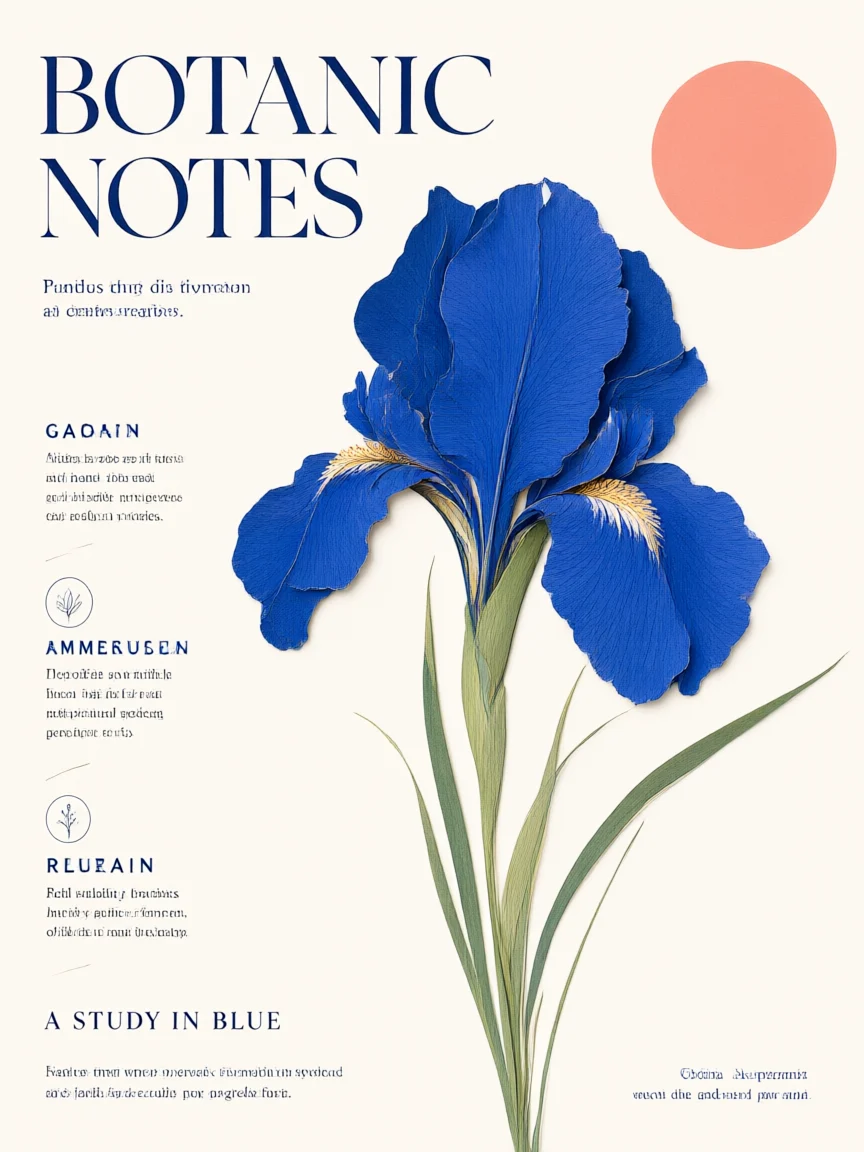
A fictional botanical poster with a cobalt iris, cream background and short English copy.
Provide finished copy
Put the headline and subtitle in quotation marks. Describe the line order, relative sizes, colors and margins. Supply checked translations yourself.
Try this brief
“Cream-paper botanical poster with a cobalt cut-paper iris and coral circle. Headline exactly ‘BOTANIC NOTES’, subtitle exactly ‘A STUDY IN BLUE’. Two text lines only, generous margins, no other text.” Choose Standard, 1K and 3:4.
Proofread at full size
The requested headlines are readable in this sample, but the model also added unrequested small filler text. Treat the output as a draft: check every line and remove invented text before publication.
Explore a Chinese cover with Pro
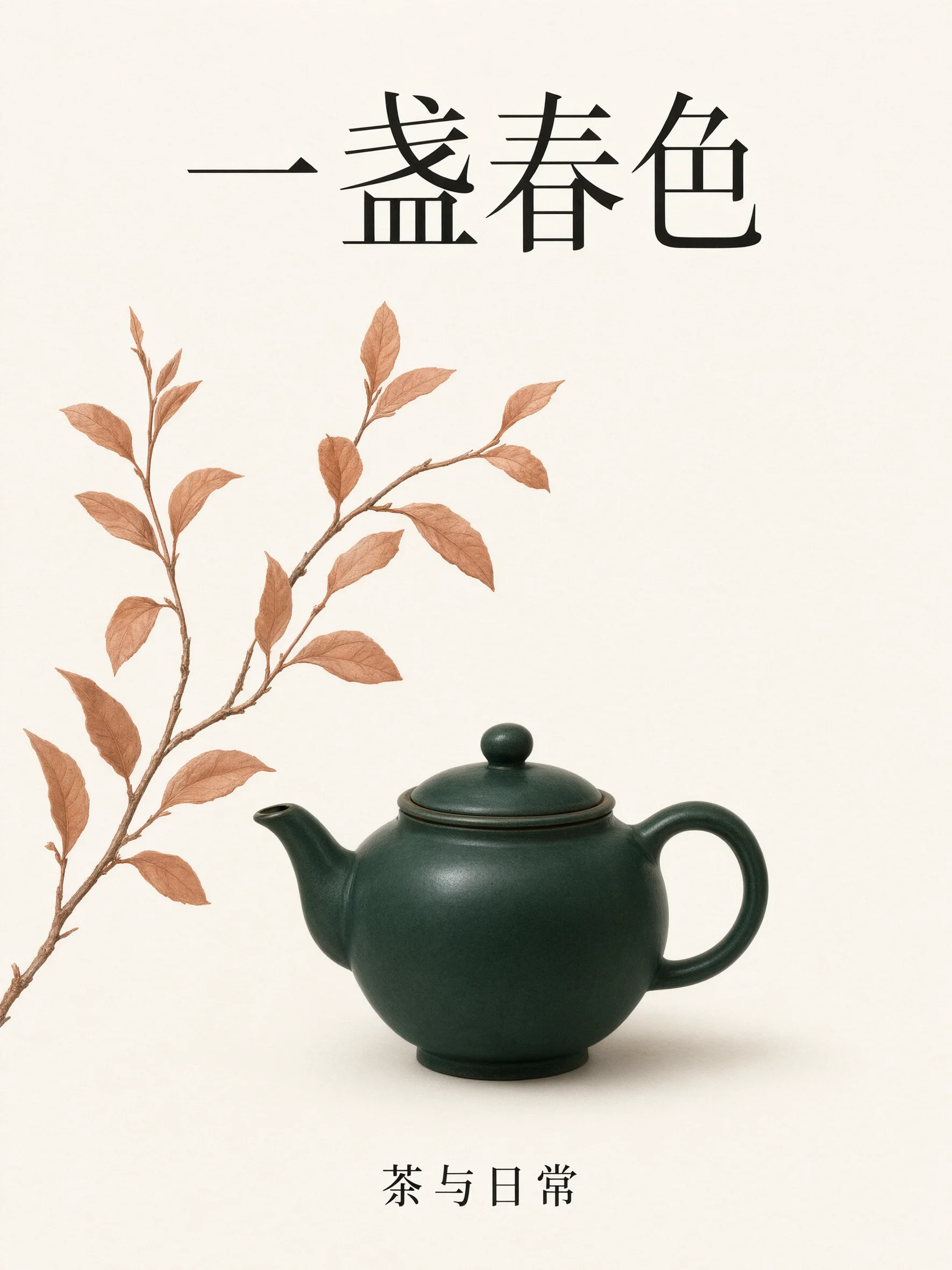
A fictional tea-themed editorial cover using explicitly supplied Chinese wording.
Separate wording from visual direction
State exact Chinese characters, then describe the illustration and hierarchy. Avoid asking the image model to invent factual dates, prices or product claims.
Try this brief
“A refined Chinese tea editorial cover on cream paper, a dark green teapot and a flowing terracotta branch. Large title exactly ‘一盏春色’, small subtitle exactly ‘茶与日常’. Only these two text lines, clear Chinese typography and generous margins.” Choose Pro, 2K and 3:4.
Choose by task and budget
Alibaba Cloud distinguishes Standard and Pro as different service tiers. Start with Standard for a draft and compare Pro when the brief needs more refinement; the samples are different briefs, not a controlled ranking.
Refine a visual while keeping its text brief explicit
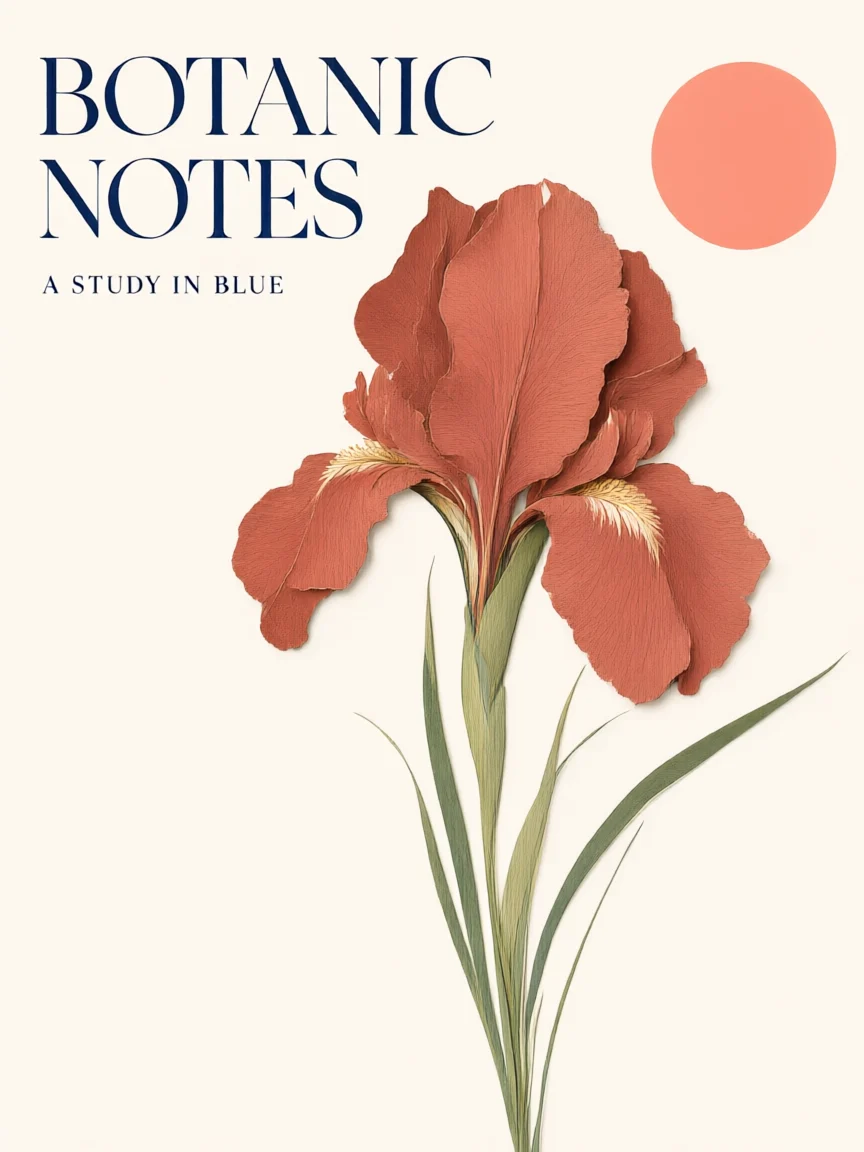
A botanical-poster variation guided by the original generated poster.
Describe what the reference controls
Upload the original and specify the part to change. Keep text in the prompt as well as in the reference so the intended wording remains explicit.
Try this edit
“Change the iris from cobalt blue to terracotta. Keep the cream paper, stems, circle and the exact words ‘BOTANIC NOTES’ and ‘A STUDY IN BLUE’. Remove all other small text.” Upload the original poster.
Compare image and lettering
This edit changed the flower color and removed the small filler text. It kept the two requested phrases but moved the subtitle beneath the headline. Compare both wording and placement; each reference edge must be 384–3,072 pixels.
Controls available on this page
Model information checked on November 9, 2026. Credit totals follow the current form.
Standard and Pro
Choose Qwen Image 3.0 or Qwen Image 3.0 Pro in the model selector. This site supplies both through EvoLink.
Text-led visual briefs
Describe posters, covers and illustrated layouts with exact copy, visual hierarchy and margins. Proofread all generated text.
Up to 3 references
JPEG, PNG or WebP, up to 10 MB each, with each edge between 384 and 3,072 pixels.
1K or 2K output
Eleven aspect ratios cover square, landscape and portrait layouts. No 4K preset is offered here.
Visible credit quote
Standard costs 7 credits at 1K or 2K. Pro costs 9 at 1K and 17 at 2K. Reference inputs add to the total.
One PNG per request
The site accepts up to 4,500 prompt characters. It does not expose batch generation, masks or custom pixel dimensions.
How to generate and refine an image
Prepare checked copy
Write the exact text first, then describe imagery, hierarchy, palette and margins. Keep facts and translations under your control.
Select Standard or Pro
Choose the model, ratio and 1K or 2K. For an edit, add up to three references meeting the size requirements.
Check the total
Sign in and review the quote, including reference surcharges. Generate one image per request.
Proofread and refine
Inspect every character, number and visual detail. Reuse the image as a reference with a specific follow-up instruction or finish typography in a design editor.
Questions before you generate
What is Qwen Image 3.0 here?
It is Flux2pro’s integration of Qwen Image 3.0 Standard and Pro through EvoLink, for prompt generation and reference editing. Flux2pro is an independent service and not the official Qwen interface.
Should I choose Standard or Pro?
Use Standard as a lower-credit starting point and evaluate Pro for your own detailed brief. The official service distinguishes the two tiers; this page does not claim Pro wins every prompt or provide a speed benchmark.
Can it generate Chinese and English text?
The official model supports multilingual text rendering. Supply exact wording, quote it and define placement. Check every character and line after generation, including text retained during an edit.
What do Standard, Pro and references cost?
Standard costs 7 site credits at 1K or 2K. Pro costs 9 at 1K or 17 at 2K. Add 1 credit for one reference or 2 credits for two or three references. The button shows the combined total.
What are the reference requirements?
Up to three JPEG, PNG or WebP files, each no larger than 10 MB. Every image edge must be 384–3,072 pixels. Images outside that range must be resized before use.
Does the page offer 4K, masks or batch output?
This form generates one PNG at 1K or 2K with optional references. It does not expose 4K, masks, custom pixel dimensions or a batch count, regardless of options in other Qwen products.
How long can my prompt be?
This site allows up to 4,500 characters. That is a site character limit, not the token limit in the official model documentation. Separate text, layout and edit constraints for clarity.
What makes a result ready to use?
Review spelling, translations, numbers, layout and image artifacts. Verify factual claims separately and check rights and applicable terms for inputs and intended use. A login and sufficient credits are required.
Create your next visual
Sign in, write a clear brief and check the credit quote before generating.